Frequently asked questions
What dongle do I need?
The dongle is not included with your subscription — you'll need to buy one separately. It should be a Bluetooth OBD-II adapter based on a genuine ELM327 chip that correctly supports BMW's proprietary diagnostic protocol. Carista and Vgate vLinker are both confirmed working well. Avoid very cheap, generic ELM327 clones — some of them don't implement the specific commands BMW's protocol needs, and simply won't be able to talk to the app at all (it will pair over Bluetooth fine, but no live data will ever come through). A mid-range adapter from an established brand is a much safer bet than the cheapest listing you can find.
Carista, Vgate, and any other adapter brand names mentioned here are trademarks of their respective owners — we are not affiliated with them.
Can this modify my car or change any setting?
No. BIM DPF GUARD only ever reads data from your car — it never sends any command, write, or control instruction. It cannot trigger a regeneration, change a setting, or affect the vehicle in any way.
Does the app use my phone's microphone?
No, never.
Will the alert interrupt my car's radio?
Yes — the spoken alert plays clearly over whatever audio source is active at the time, whether that's music/calls streamed from your phone, your car's built-in radio, or its own onboard media. Confirmed working across all three on a real drive.
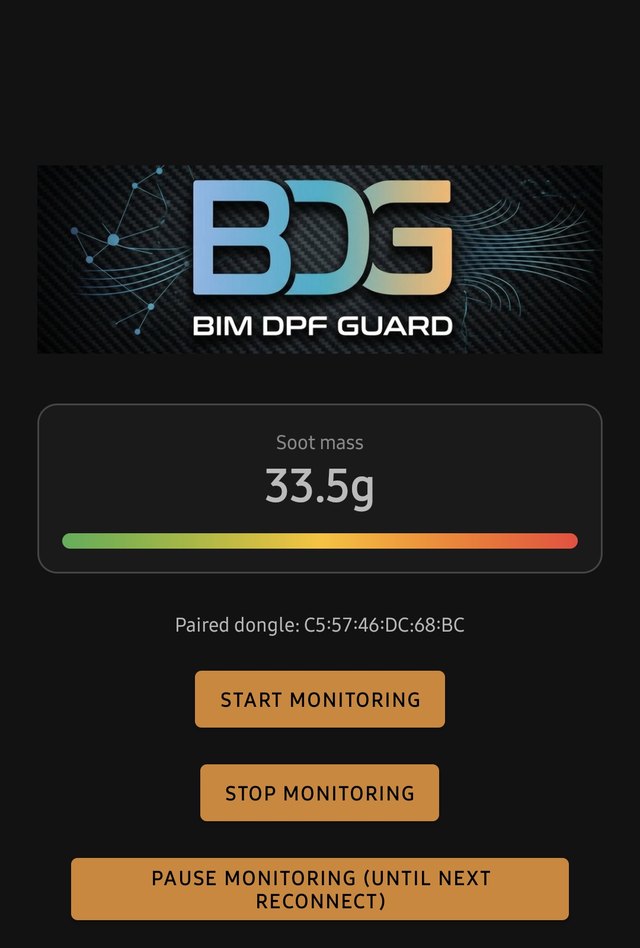
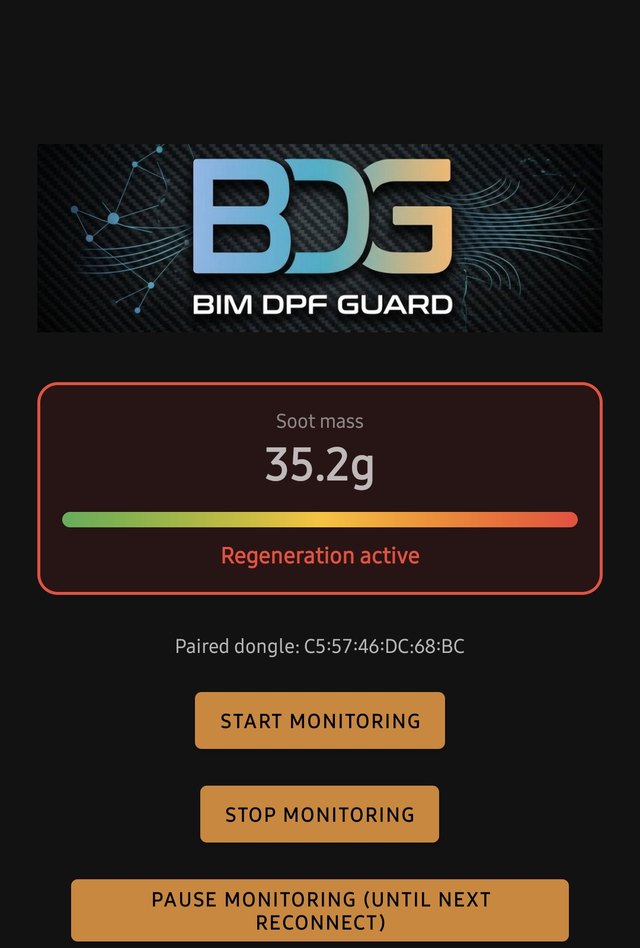
Why does soot mass seem to pause, then drop again, after a regeneration?
This is normal behavior, not a bug. After the main burn-off, soot mass can appear to hold around 7-8g for a bit — often right when our "regeneration finished" alert fires — then keep declining gradually to around 5-6g over the next minute or two, before finally settling close to 0g. This multi-stage tail-off reflects how your car's engine control unit reports the final cooldown phase of a real regeneration; it isn't a stuck or malfunctioning reading.
Does the background monitoring drain my battery?
No meaningfully — in real-world testing, hours of background reconnect attempts used well under 1% battery per hour.
Could it trigger a false anti-theft alarm on my car?
The app is designed so that false alarms triggering the car's anti-theft system don't happen. The app uses the car's own Bluetooth connection (the same one used for hands-free calls or Android Auto/CarPlay) as a signal: as soon as it disconnects — which happens right when you lock the car — the app stops communicating with the OBD port entirely and waits at least 5 minutes before trying again, no matter what happens in the meantime. That's well past the window during which anti-theft systems watch the diagnostic port after arming. When you come back, the app uses that same signal to reconnect within seconds, instead of waiting on a blind timer. This behavior has been validated across many real-world test drives, including repeated engine-off/lock/re-open cycles specifically designed to test for this, without ever triggering the alarm.
Connecting your phone to the car's Bluetooth audio isn't required for safety — even without it, the app still always applies the full safety wait before reconnecting to the dongle — but it's recommended for a faster, smoother reconnection, and for better audibility of the app's voice alerts before and after a regeneration.
One rare exception we're aware of: on some cars (a few BMW owners report this on forums), the infotainment's Bluetooth connection can stay active for several minutes even after the car is locked — on those specific cars, our safety window ends up more conservative than strictly necessary, not less.
Separately, and unrelated to our app: cheap or unsuitable OBD adapters keep polling the CAN bus even with the ignition off, keeping the car's electronics awake. BMW-certified adapters with built-in auto-sleep (e.g. OBDLink CX, Vgate vLinker MC+, UniCarScan) avoid this by entering a low-power mode on their own.
Does it start automatically when I get in the car?
Usually, yes, once you've paired your dongle for the first time — the app reconnects on its own in the background, typically anywhere from a few seconds up to a couple of minutes, depending on your specific car and infotainment setup — and keeps doing so automatically even after long waits (hours, even overnight), without ever needing to reopen it. It's not instant or 100% guaranteed every single time (that's an Android platform limitation, not specific to this app), so a manual "Start monitoring" button is always available as a fallback. The notification panel always shows the live status (connected, reconnecting, soot mass, active regeneration) — you can tell at a glance whether the app is running, without needing to open it. After about two hours of unsuccessful attempts, that text switches to a calmer, low-key reminder ("Paused") instead of "reconnecting" — that's expected, not a sign anything's wrong, and there's nothing to do: it reconnects and resumes the normal status on its own the next time you're back in the car.
Can I use bimmer-tool or another OBD app at the same time?
Not reliably at the same time — most Bluetooth OBD dongles (including Carista) only support one connected app at a time. Use the "Pause monitoring" button to free up the dongle for another app; it automatically resumes on your next drive.
How does billing work?
BIM DPF GUARD is an annual subscription. On Android: €12.99 for the first year, then €5.99/year on renewal — cancel anytime from Paddle's receipt email. On iOS: a flat €9.99/year via Apple's In-App Purchase, shareable with up to 6 family members via Family Sharing — manage or cancel anytime from your iPhone's Settings > [your name] > Subscriptions. Either way, your license stays active until the end of the period you've already paid for, then simply isn't renewed.
How many devices can I activate my license on?
On Android: up to 2 at a time. If you get a new phone, just activate on the new one — if you're already at the limit, the app shows your currently active devices and lets you pick one to deactivate right there, no need to contact support. On iOS: no manual activation at all — your subscription is tied to your Apple ID and works automatically on any of your own devices signed in with it, and Family Sharing lets up to 6 family members use it too.
Which cars/engines are supported?
BMW F/G-series diesels on the B47/B47D engine family are confirmed. Coverage is actively expanding — see the home page for the current status. Older E-series models (e.g. E60/E61/E81/E90) are not currently supported — their DDE rejects the specific data-reading method this app relies on, confirmed via real testing.
I didn't get my license email — what do I do?
Check your spam folder first. If it's still not there after 10 minutes, get in touch and we'll resend your code.
What Android or iOS version do I need?
Android 12 (API 31) or newer. On iOS: iOS 15 or newer.